
Tiny Windows trimmer for fast cuts and basic format conversion
Cut, split, or extract audio from video files with simple start/end markers, then save clips in MP4, AVI, or WMV. Free Video Cutter, from FreeVideoCutter.com, targets casual creators and social-media posters who need quick footage preparation on Windows. The app highlights a compact 6.12 MB installer, an Open-Cut-Save workflow that requires no prior editing experience, and automatic thumbnail generation to locate scenes before saving clips for upload.
Top Recommended Alternative

What the app does for quick editing tasks
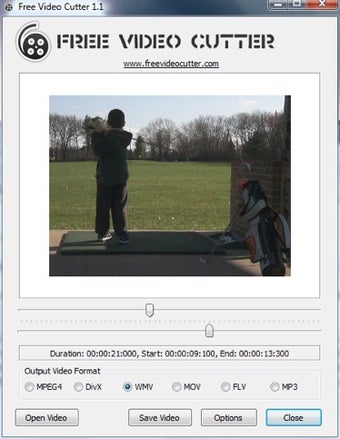
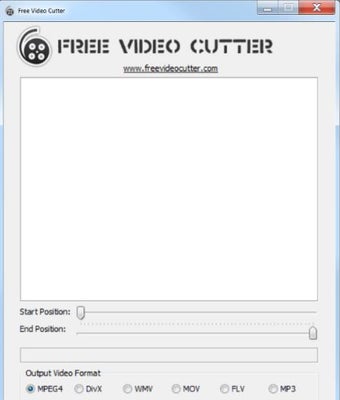
Free Video Cutter focuses on single-purpose trimming and basic conversion. You open a file, place start and end markers with adjustable precision (defaults to 60 positions), and save just the selected segment. The tool also converts the selection into common outputs such as MP4, AVI, WMV, or extracts audio to MP3. That simple flow removes unwanted sections like commercials or trailers without a multi-track timeline getting in the way.
What formats and export options it supports
The app accepts a broad set of inputs and outputs, including MPEG-1/2, MPEG4, DivX, Xvid, AVI, WMV, QuickTime MOV, and FLV, so you can prepare clips for different platforms without extra codecs. Exports preserve the original audio track when saving video segments, and audio-only exports write MP3 files directly. Thumbnail generation during import helps you pick scenes from these formats visually.
How the interface, performance, and workflow behave
The interface follows an Open-Cut-Save pattern that lowers the learning curve for first-time editors. Installation is about 6.12 MB and the lightweight design keeps processing fast for trimming operations. Precision markers let you narrow cuts more accurately, though the editor does not play audio during cutting, so edits rely on visual frame cues rather than real-time sound monitoring.
In conclusion, a practical pick for casual editors on older Windows machines
Free Video Cutter suits casual users who need quick, no-friction trimming and simple format conversion on entry-level or older Windows devices, thanks to its tiny installer and focused workflow. It is not aimed at users who need integrated audio review or multi-track timelines, so those with more complex sound or layering demands should consider a different editor.